


It Depends on How You Study
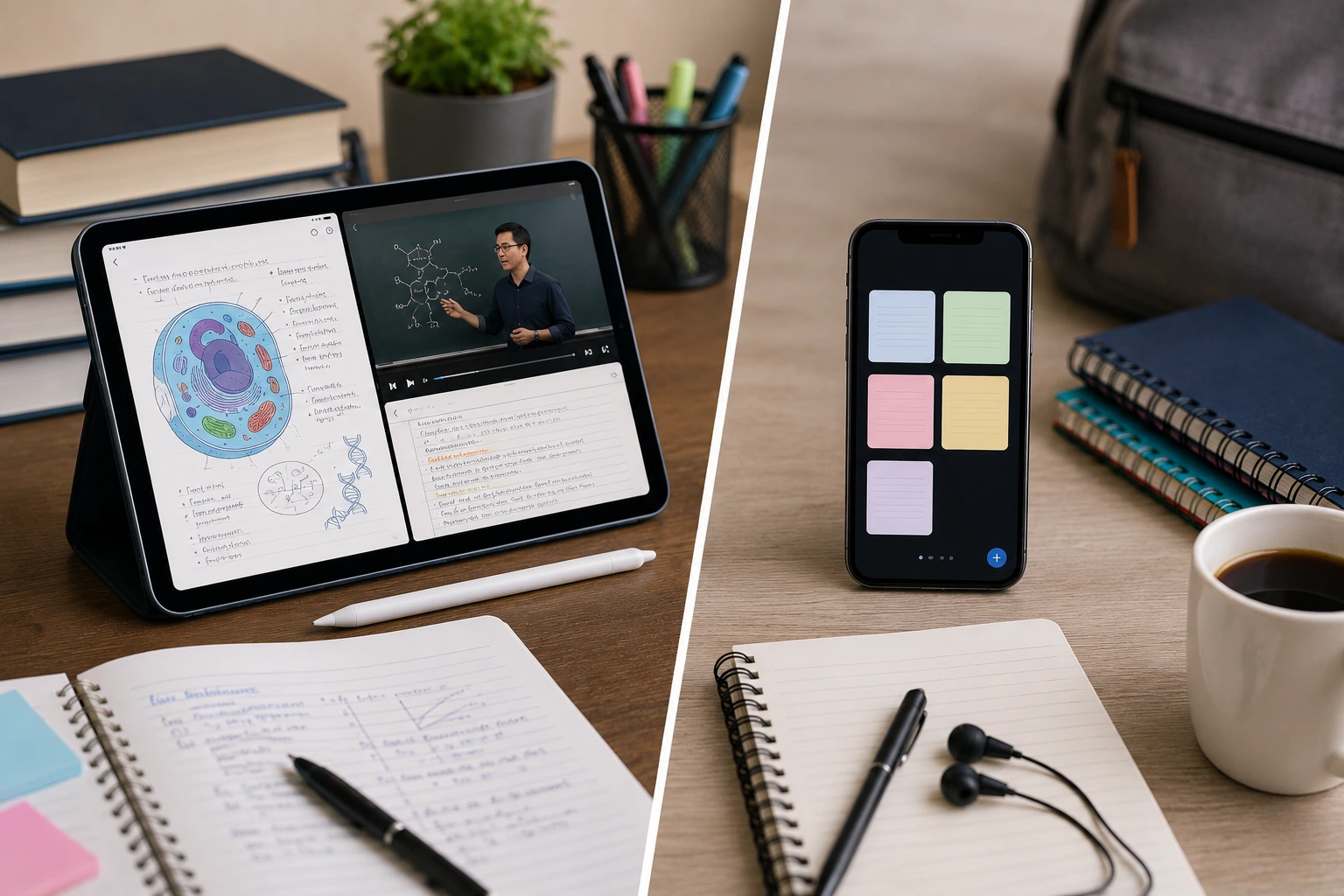
Both tablets and smartphones can handle coursework, but they're built for different use cases. A smartphone is the device you always have with you. A tablet is the device you sit down with. The right choice depends on what your study sessions actually look like.
Screen Size and Reading Comfort
This is the biggest practical difference. Tablets give you 10 to 13 inches of screen space, which makes reading textbooks, PDFs, and research papers much easier on the eyes. You can see a full page without constantly scrolling or zooming.
Smartphones max out at about 6.7 to 6.9 inches. That's fine for quick reference, flashcards, or reading short articles, but spending hours reading dense academic material on a phone screen leads to eye strain and fatigue. If your coursework involves long-form reading, a tablet wins this category by a wide margin.
Note-Taking
Tablets, especially the iPad with Apple Pencil or Samsung Galaxy Tab with S Pen, turn into digital notebooks. You can write directly on lecture slides, annotate PDFs, draw diagrams, and organize notes by subject. Apps like Notability, GoodNotes, and Samsung Notes are designed specifically for this.
Smartphones can run the same note-taking apps, but writing on a small screen with your finger isn't practical for anything beyond quick text notes. If handwritten notes or diagram sketching are part of your study routine, the tablet is the clear choice.
Multitasking
Tablets support split-screen multitasking on a screen large enough to make it useful. You can have a lecture video playing on one side and your notes open on the other. Or a textbook on the left and a calculator or browser on the right.
Smartphones technically support split-screen too, but the screen is so small that each app gets a sliver of space. It's more frustrating than helpful for actual study work.
Portability
This is where smartphones pull ahead. Your phone is always in your pocket. You can review flashcards on the bus, listen to recorded lectures while walking, or quickly look up a concept between classes. No extra bag space needed.
Tablets are portable compared to laptops, but they still require a bag. If your study style is mostly on-the-go and in short bursts, the phone's convenience factor is a real advantage.
Battery Life
Tablets generally last longer on a single charge during study sessions because their larger batteries are powering a screen and processor that aren't working as hard as a phone's (fewer notifications, fewer background apps competing for resources). Most tablets get 8 to 12 hours of active screen time.
Smartphones typically last 6 to 10 hours of active use, and study time competes with all the other things your phone does throughout the day (messaging, social media, calls). If you're using your phone for studying, you'll likely need to charge it partway through the day.
App and Content Availability
Both platforms run the same apps. Google Docs, Microsoft Office, Khan Academy, Quizlet, Anki, and every major educational platform are available on both smartphones and tablets. The difference is the experience: the tablet versions of these apps take advantage of the larger screen with better layouts and more visible content.
One exception: some specialized apps (lab tools, medical references, engineering calculators) may have tablet-optimized versions with features not available on the phone version. Check whether the apps you use most have tablet-specific layouts.
The Verdict
If your studying involves long reading sessions, handwritten notes, or watching lecture videos while taking notes, a tablet is the better primary device. If your studying is mostly flashcard review, quick lookups, and audio content, your smartphone handles that well enough.
For most students, the ideal setup is both: the tablet as the primary study device at your desk or in the library, and the phone for quick review when you're between classes or on the move.
If Your Study Device Breaks
A cracked screen or dead battery on your study device right before exams is a situation no student wants. If your tablet or smartphone needs a repair, our Albuquerque shop handles iPad repairs, Samsung tablet repairs, and every major phone brand. Most repairs are same-day, so you're not without your device for long.